Jamf Extender adds powerful inline features to Jamf Pro — available for Safari, Chrome, Edge, and
Firefox. If you also use Jamf Security Cloud and Jamf Protect, device security information surfaces directly in Jamf Pro — no need to navigate away from the page.
PRIVACY & SECURITY
macOS Keychain integration — API credentials stored encrypted in macOS Keychain, shared across all browsers via the Jamf Extender Safari app
Safari: Keychain access is built-in; Chrome, Edge, Firefox: open the Safari app, click “Set Up Other Browsers,” then restart your browser
Existing credentials in browser storage are automatically migrated to Keychain; falls back to browser storage if the Safari app is not installed
API clients are created with read-only permissions
SMART GROUP INTELLIGENCE
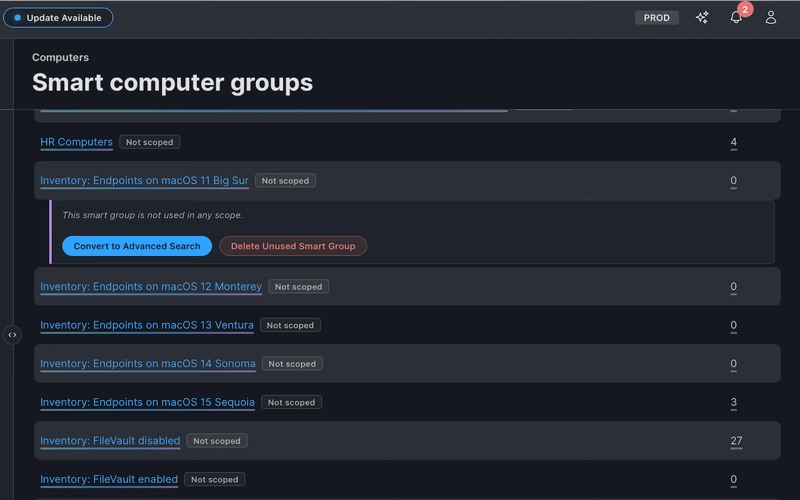
Expand “Where It’s Used” drawers to see every policy, profile, restricted software rule, app, patch policy, eBook, app installer, webhook, and blueprint that targets, limits, or excludes a group
Spot groups with email notifications enabled or nested group criteria at a glance
Convert unused smart groups to advanced searches or delete them directly
CONFIGURATION PROFILES (macOS + iOS)
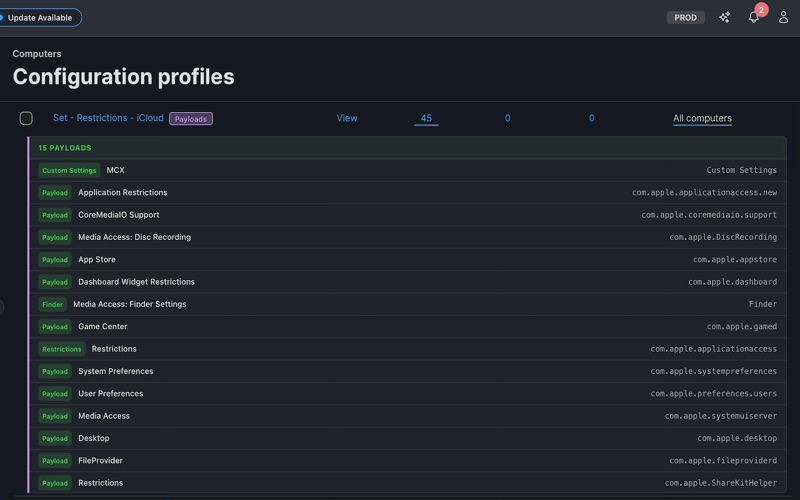
Expand inline payload drawers showing every configured payload with human-friendly labels
Compare two or more profiles side-by-side to see shared vs. unique payloads and scope differences
BLUEPRINTS
Hover over any blueprint name to see all configured settings
Hover over “Scoped to” to see which groups and devices are in scope, with an Export CSV button
POLICY SCOPE & RISK ANALYSIS
Hover over any policy’s Scope column to see full targeting details
Risk report bar flags potentially dangerous policies
APPLICATION USAGE & UNUSED APP SEARCH
Run aggregated application usage reports across any Advanced Computer Search
Find devices that have NOT used a specific application — export results as CSV for cleanup workflows
MASS UPDATE TOOL (MUT)
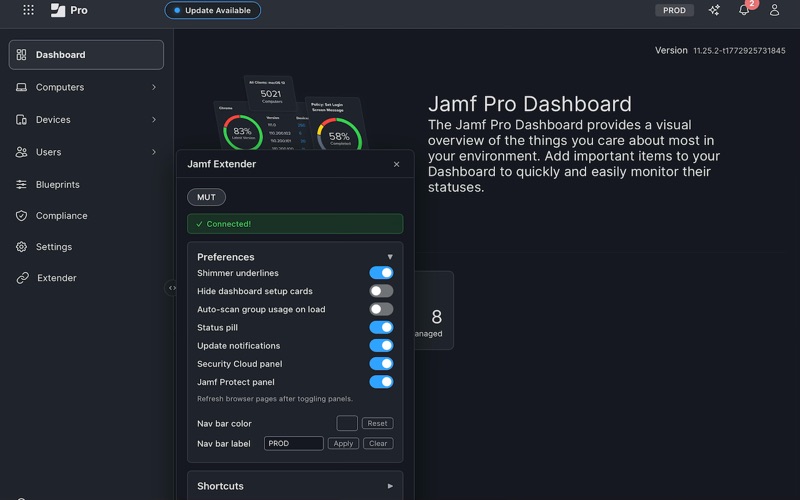
Upload a CSV to update Jamf Pro inventory records in bulk
Download CSV templates with optional pre-fill from your instance or blank
JAMF SECURITY CLOUD INTEGRATION
View device risk, status, enrollment, and DNS activity inline on computer and mobile device detail pages
Color-coded app risk badges (HIGH/MEDIUM/LOW) on the mobile device apps list
JAMF PROTECT INTEGRATION
View connection status, plan name, and agent version inline on computer detail pages
Alert summary grid showing High/Medium/Low severity counts across 24h, 7d, and 30d
API ROLE PRIVILEGE PICKER
Resource-grouped CRUD grid with per-resource Create/Read/Update/Delete checkboxes
Paste a comma- or newline-separated list of privilege names to filter and highlight exactly those entries
“Select All Visible” and “Deselect All” for bulk operations on whatever’s currently filtered
QUICK SETUP
The extension creates read-only API credentials automatically using your active browser session
Portal Groups link your Jamf Pro instance to Security Cloud and Protect for cross-platform device lookups
Supports multiple instances/environments of each product
QUALITY OF LIFE
Custom Domain Support
Status pill, update notifications, nav bar shortcuts, sidebar settings panel
Animated shimmer underlines highlight interactive elements (toggleable)
Hide dashboard setup task cards; customize nav bar color per instance
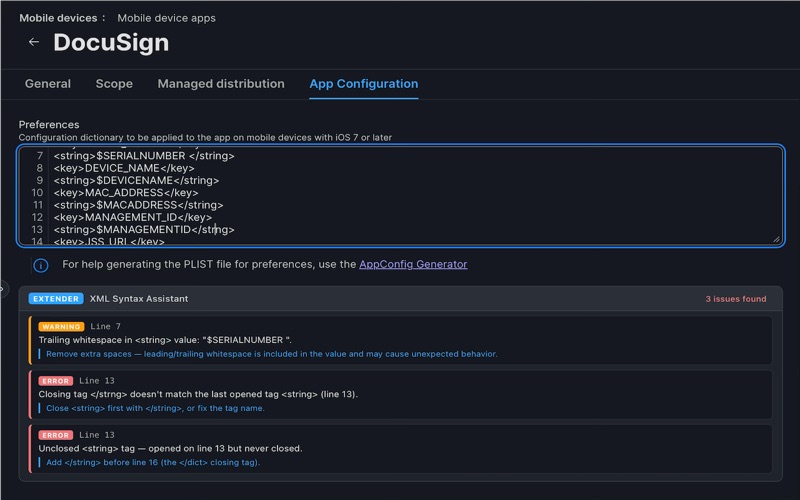
Mobile Device Apps — XML Validator for App Config
Dashboard Health - Polls Jamf Pro’s built-in /api/v1/health-status endpoint and reads the oneMinute probe-success ratio per health group
Works on all Jamf Pro *.jamfcloud.com and self-hosted instances. Requires a Jamf Pro login and one-time Quick Setup per instance. Safari, Chrome, Edge, and Firefox on macOS.