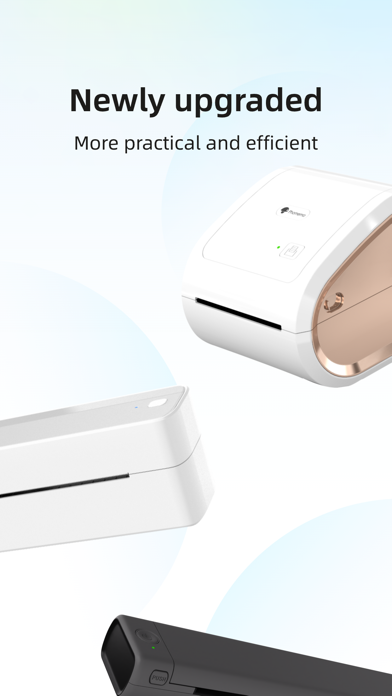
Labelife is a software that provides users with one-stop label printing and management services, sui
table for the diversified label needs of various industries and scenarios. Whether it is a corporate user, an individual merchant or a personal label enthusiast, Labelife can provide efficient and convenient services, making label printing and management easier and more convenient.
[Label Template]
Covering industry templates such as supermarkets, electricity, logistics and transportation, to meet the needs of different industries
[PDF Printing]
Support PDF import and cropping, easily realize PDF batch printing
[Image Printing]
Support batch import of images, handle a large number of image printing tasks at one time
[Easy to Use]
Simple and intuitive interface design, you can quickly get started without professional training
Thank you for using labelife. If you have any questions during use, you can give feedback in "Feedback" and we will deal with it in time.
Term of Use:https://www.apple.com/legal/internet-services/itunes/dev/stdeula/
Screenshots of Labelife iOS app
Reviews Labelife for iphone
Horrible, slow, and buggy
1
By pianomanmark
Just bought the 241BT and I completely regret that purchase because of this app. The app makes it next to impossible to make anything work. It takes forever to load anything, assuming I don’t get a network error from the app when I want to do anything including obtain after sales support. I will be returning the printer all because of the app.
Such a bad app. Worthless with iPad
2
By C.Edwards
This app is buggy as hell, and let’s start with the simple flaw: it can’t do landscape, so anyone with a Magic Keyboard has to do the work at 90 degrees. The code to rotate the app is approximately 10 lines, so the vibe-coders are really awful at their job on this one. Second, you can’t see what you’re working on. All of the controls for Style, Font, Layout, etc obscure the working page, so if you’re trying to fit text into the box? Good luck. Hope you guess well. And third, there are better apps, but Phomemo locks their hardware to this buggy nonsense. Previous updates have broken it. Buy something other than Phomemo. It got a second star because when it does work, it works cleanly and accurately, but having to restart and reinstall the software to print a single label is nobody’s idea of solid workflow. When your printer makes a 1985 HP dot matrix look like a better bet? You need a new software team.
Update is horrible
1
By Scammed by Print Master
Charging money for things that use to come with the app. Anything that’s American, including all of the English fonts that aren’t the basic fonts cost money when some use to be free, and the app keeps force closing any time you try to design a label. Horrible update. I use to only use this brand because it was the only free cheaper one and now it charges for most things. I won’t spend any money on this.
You can't get there from here on OSX! PITA!
1
By PayingLessIsBetter
Has a lot of layout features and is esay enough to use but there's one MAJOR PROBLEM! The stupid thing WILL NOT PRINT FROM THE APP. I jacked around with it for two days, probably 5 hours and even bought new USB a to USB C cables. A total waste of time - keeps erroring out when you click PRINT no matter how many times you delete app and reinstall drivers and everytime the same thing happens even using their PDF sample label. The Omezizy D450BT prints from most anything else. Didn't try iOS but don't expect it'll be any better!
Horrible
1
By meudiebdg
Absolute horrible app and they do nothing to fix it. Constantly crashes mid print or freezes making you have to complete restart your edit and the entire print process. Constantly happens. They never improve the app. Horrible experience
Will not connect
1
By MVP24579
This app cannot find my Phomemo label maker. Useless to me.
Works great
5
By Stephanie smothy
Works well and does why it’s supposed to.
Worked Great until New Update
1
By surfer1990
Perhaps not the most intuitive app but all you had to do was send the label to the app via the export button (box with arrow) and then you could crop and flip the label as needed.
The new update breaks the export compatibility which means I have to manually download and upload each label to print it.
Also I dont need an account for a printer app.
Extremely frustrated.
Sucks
1
By jdoigherty1223
Won’t print, won’t connect, and now won’t even download its own update. Waste of money and now I’m going to have to buy another label maker.
Labellife
1
By PSMoney37$
This is a cute laser printer but the program /software hat runs the laser printer. IT IS AWEFUL. The most confusing redundant instructions I have ever encountered. I know how to set-up computers, printers, phones and lasers printers. I can’t even begin to describe the issues there are so many. It even took the software out of the laser printer and off my big printer! should have known when I seen the 2 stars that I seen yesterday I should have not done this. Now I have just put out a lot of money for a laser printer. Cannot return it because the software no longer works. Also it does not work interchange with MAC. That was the description when purchased. That it is interchangeable with MAC. No it is not. Frustrated !!! out $$$$$