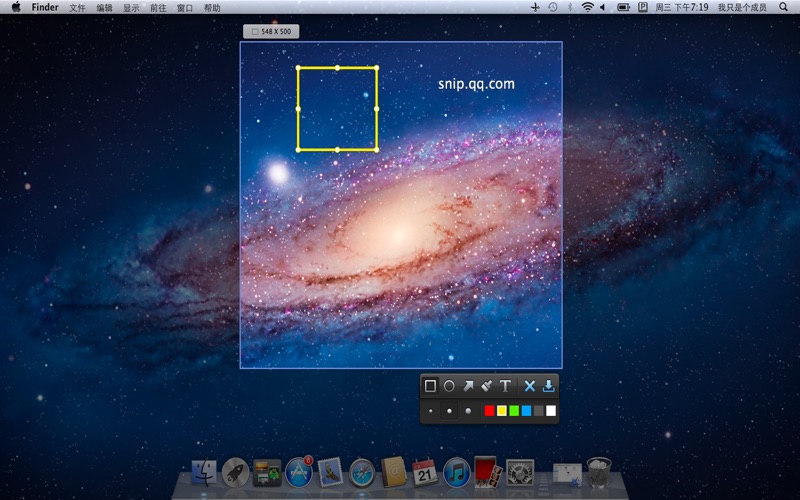
Snip is a screen-capture application that can capture the active window or custom areas. Drag to zoo
m in/out the screen shot; add labels, texts and handwriting contents of your choice and save it to your device or the clipboard.
1. Auto-identify windows: Snip can identify windows open automatically.
2. Editable tags: Add tags (rectangle, ellipse and arrow) and texts; and draw with handwriting brushes. You can change the location, size and color.
Screenshots of Snip iOS app
Reviews Snip for iphone
Didn’t work to begin with
1
By JackJames8
I am new to Mac, and I’m used to Windows where we have access to snip n sketch, so I was looking for something, but I regret trying at this one. When I installed it and fixed my settings, the first time I clicked open, It did nothing, no problem, I went to my finder and pinned it to my dock; still nothing. After numerous times clicking on it in numerous places, I had no luck, and no other choice but to uninstall it and look for another app. Well apparently, it wouldn’t even let me do that. I tried moving it to trash multiple times, and a message came up saying that it could not be done because it was opened. I pinned it back on my dock, and right clicked on it to find out that It was not opened. Thee was no option to quit, but there was an option to open. Im still trying to figure out how to uninstall it. Do not recommend
Honestly just crashes on 15.2 Mac
1
By sansane77
Crash Alert
Impossible to delete
1
By Phil Boling
I have spent the last hour trying to delete this app. I can't delete it because it says it is and it cannot be closed because it does not appear on the task bar or in the force quit list of applications. It appears to be a "Terminal" piece of SW that can hide from standard requests to remove it from your computer.
Biggest regret of my day downloading this App
Inflexible app
2
By Goblingutter
It doesn't appear this tool let's you chose which screen to capture if you have multiple monitors.
Poor Funtionality
1
By Mckanna11
If this is the closest you can come to Microsoft's snipping tool, it falls significantly short. This app is more frustrating than it is worth.
Not Capturing on Right Window
2
By Marty Zigman
Installed on Catalina. Seems the application will only capture on one window. I have three. Unworkable.
Nonexistent support
1
By solsticeman
I have emaied a few times. This is a great program and works well. Except for 2 major issues.. Auto load doesn't work and hasn't for quite some time. and, no options different file formats. like JPG, the most used image file format on the internet. Deleting it amd goung to find a more supported product.
Dual Screen Issue
2
By Alamishere
This tool works perfectg if you only using one screen. However, if you have dual screen this gets confusing. i still could not figure out on how to use it on different screen than primary screen.
Almost perfect
4
By i-Hms
I've been using this for years on mac. The only 2 downsides is that: A. there is no way to mark up using straight lines. B. sometime inadvertently I double click in the trackpad in the middle of marking up and it just takes the snapshot before I'm done marking up all my notes.
works on macbook but not new Imac
2
By Sandra's Store
I have used this for years and absolutley loved the versatility. i have a new 24" iMac and it will only let me clip the entire desktop, not what i am currently viewing. i tried turning off the hot corners to see if that was the issue but it is not.
iOs iPhone apps by Tencent Technology (Shenzhen) Company Limited