Welcome to the Deco App — the perfect way to set up your mesh WiFi in minutes and control your who
le network.
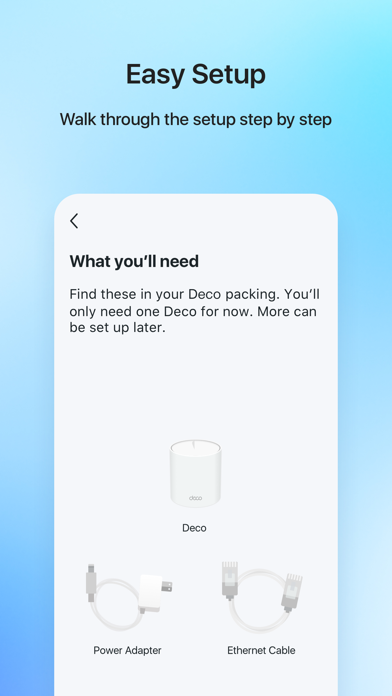
Our simple-to-follow guide walks you through the setup process and even gives you suggestions for whole home coverage.
Once connected, you’ll have instant access to check every connected device, manage your kids’ online activity, and control your home network effortlessly. All from the palm of your hand.
- EASY TO SET UP AND MANAGE
• Quickly set up with step-by-step instructions
• Find the best spots to place additional Deco units for maximum coverage
• Control your WiFi network without turning on your computer
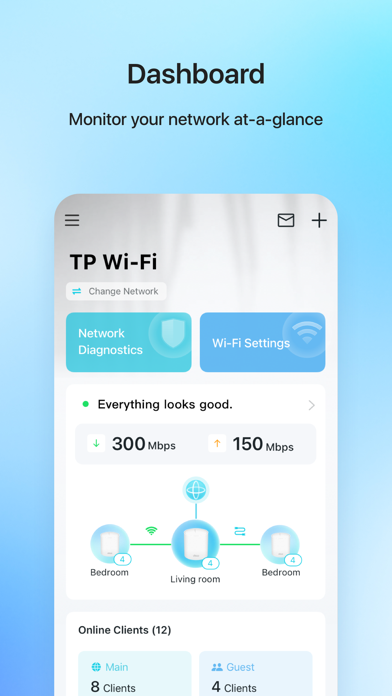
• Check your connection status and network speed at a glance
• Find out who or what is connecting to your network
• Instantly block unwanted devices with a tap
- PROTECT YOUR WIFI
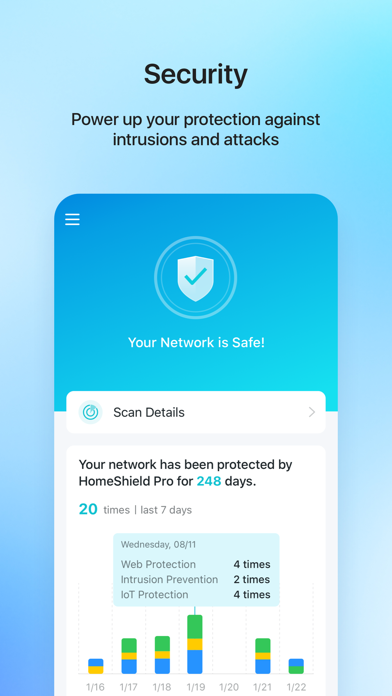
• Detect potential threats and receive warnings before things get serious
• Create a guest network to give friends internet access while shielding your private network
• Block unauthorized access and inappropriate content
• Run network performance tests
- FIND FAMILY TIME WITH PARENTAL CONTROLS
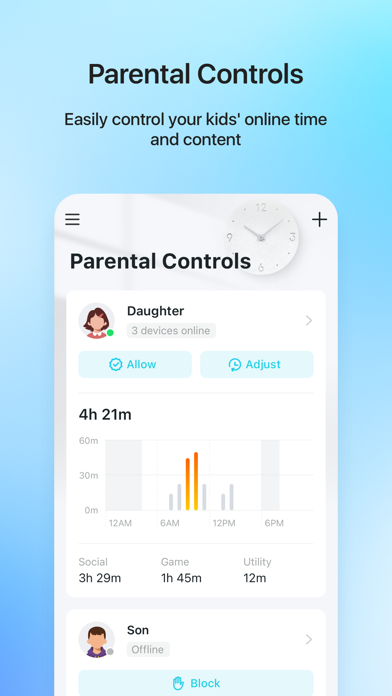
• Set a time restriction and pause the WiFi on kids’ devices
• Control when specific devices have WiFi access
• Make room for more family time with Schedules
- PRIORITIZE YOUR FAVORITE DEVICES
QoS lets you choose which devices always have the fastest connections. Set a schedule to assign device priority for different times of the day.
- KNOW EVERYTHING ABOUT YOUR NETWORK
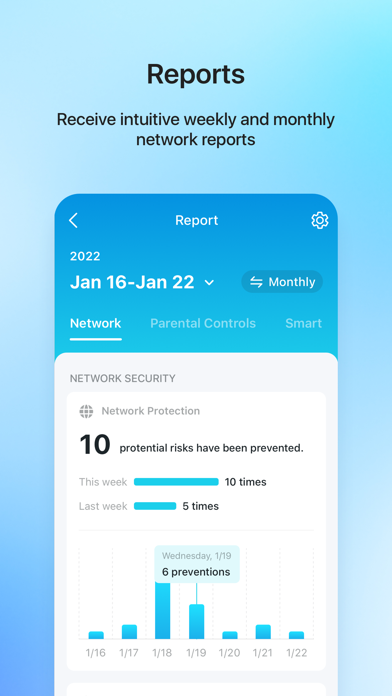
Detailed reports help you understand your home WiFi and everything connected.
- CREATE YOUR SMART HOME
Connect, control, and check the status of your smart cameras, plugs, and lights – all from the Deco app.
Features available in Deco may vary by model and software version. Stay tuned for updates as we add new features and products to the Deco family!
Privacy Policy: http://www.tp-link.com/en/privacy?app=deco#sec_a\
Term of Use: http://www.tp-link.com/en/privacy?app=deco#sec_b\
HomeShield Subscription Service Agreement: https://www.tp-link.com/homeshield/service-agreement/?app=deco
Auto-Renewal Service Agreement: https://www.tp-link.com/homeshield/auto-renewal-service-agreement/?app=deco
For more information about Deco, visit www.tp-link.com
Screenshots of TP-Link Deco iOS app
Reviews TP-Link Deco for iphone
Extender
5
By Hank’s view
Eqpt easy to install and reliable once connected to the routers
Overall good for residential but 1 problem.
2
By 2019TM3
Please add the ability to still adjust channel and bandwidth if I turn off the 2.4 GHz on the main Wi-Fi SSID but only use it for IoT. For some reason the controls for the frequency disappear even though the router is still broadcasting on it.
خلل في البرنامج
1
By wafa.mo
زر المزيد لايعمل ابدا من بعد التحديثات الاخيره ، نرجوا تنزيل تحديث يساهم بتفعيل الاختيارات
Mostly good
4
By Rhap fan
The performance is generally steady, however, there are occasional glitches. Sometimes it requires an occasional reboot or system update that being said, the installation is easy and it has served our family well for a couple of years.
Easy and fast
5
By cccbbbcccernst
Easy to set up and fast
توقف عمل البرنامج
1
By Abbi-iq
After updating the app , i can’t used “more” button!
Updates ran SMOOTH
5
By TomDem55
Got a new Comcast modem, expected the worst, but adding my TP link to the new modem was a breeze.
Would prefer web browser
3
By boboman13
I don’t like being forced to only use the app
Great overall performance
5
By Reliability Extended
Have had for over a year now… works flawlessly and is very reliable. Deco gives me great range and a very reliable signal all the way out to the garage.