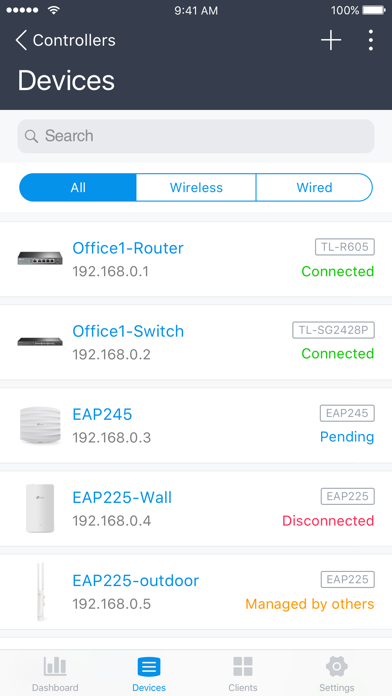
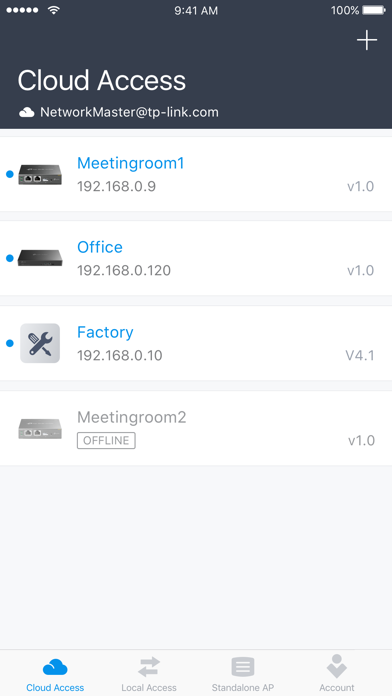
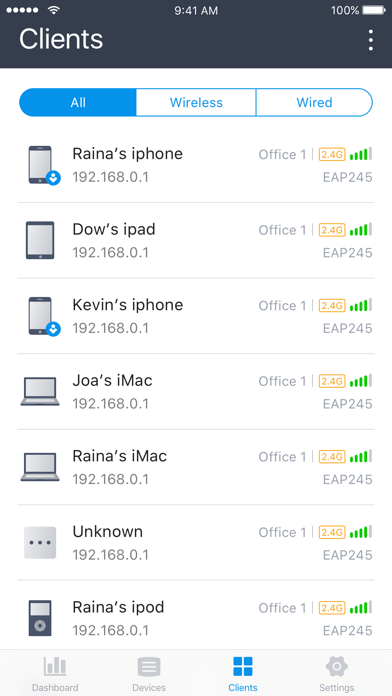
Omada app is used for configuring and managing your Omada devices. You can change settings, monitor
the network status and manage clients, all from the convenience of a smart phone or tablet.
STANDALONE MODE
Standalone mode is designed for managing EAPs or wireless routers right away without having to spend time configuring a controller. Each device is managed separately. This mode is recommended for networks which only have a few EAPs (or wireless routers) and require only basic functions, such as home network.
CONTROLLER MODE
Controller mode works together with a software Omada Controller or a hardware Cloud Controller, and is suitable for managing multiple devices (including gateways, switches and EAPs) centrally. Controller mode allows you to configure and automatically synchronize unified settings to the devices in the network. Compared to Standalone Mode, more configuration options are available and supports to manage more devices in Controller mode.
You can manage devices in Controller mode in two ways: via Local Access or Cloud Access. In Local Access mode, the Omada app can manage devices when the Controller and your mobile device are in the same subnet; in Cloud Access mode, the Omada app can access the Controller across the internet so you can manage your devices wherever you are.
Compatibility List:
The controller mode currently supports hardware cloud controllers (OC200 V1, OC300 V1), software Omada Controller v3.0.2 and above. (To experience more features support and more stable services, we recommend that you upgrade your controller to a new version).
Standalone Mode currently supports the following models (with latest firmware):
EAP245 (EU)/(US) V1
EAP225 (EU)/(US) V3/V2/V1
EAP115 (EU)/(US) V4/V2/V1
EAP110 (EU)/(US) V4/V2/V1
EAP225-Outdoor (EU)/(US) V1
EAP110-Outdoor (EU)/(US) V3/V1
EAP115-Wall (EU) V1
EAP225-Wall (EU) V2
ER706W (EU)/(US) V1/V1.6
ER706W-4G (EU)/(US) V1/V1.6
*The latest firmware is required and can be downloaded from https://www.tp-link.com/omada_compatibility_list.
More devices supported by the app are coming!
Screenshots of TP-Link Omada iOS app
Reviews TP-Link Omada for iphone
speed test
5
By doear
need to add speed test feature like asus and netgear devices
Bueno
5
By cacun2
Buena era mienta IT
Super Tech
5
By TLSecurity
Smart and Easy configure AI do all the work!
Can’t update firmware from app
2
By Engineer Ian
Wish they would fix that.
Best SDN management app for iOS
5
By zzamuluss
Been installing and maintaining networks for years and this app is shockingly good for what it is. Loads of visibility, and all the most common admin tasks at my fingertips. Worlds better than Unifi or Meraki for mobile SDN management.
Looks like some reviewers expected 100% end-to-end network configuration on an iPhone / iPad app — I’d like a baggie of whatever they’re smoking. Wildly unrealistic to expect things like gateway setup or VLAN configuration from a FREE mobile app. Suck it up and use the web UI and/or get yourself a hardware controller unit (or throw the server software, which is FREE, on a raspberry pi) and then access via web browser. No serious admin is fully managing an enterprise network from their phone or tablet.
Smh young prosumers today have it so dang easy. Go on, manage a lil 10 switch 100 AP network entirely via command-line, with zero orchestration or automation, then tell me with a straight face this app isn’t a frickin miracle.
Could be…
4
By JC54
This could be a 5 star rating. The app itself I’d amazing! Lots going on! I gave it a 4 for the same reason! There’s a lot going on! Loving it though! Keep Moving Forward!
CTO
5
By CTO/CIO
Several recent improvements. Makes managing a network of several remote sites so much easier. Keep it the good work .
Easy and it works well
5
By Bloobuud
Works well maybe better than before
Too slow
2
By Pog pig dog pig loaf of bread
Every single action is slow. Log in, enter site, client list. Just too slow to function. Even with brand new phone and on fast wifi. App is SLOW.
Stopped working
3
By cwk619
Error message says “incompatable organization “. No one at support seems to know what it means?