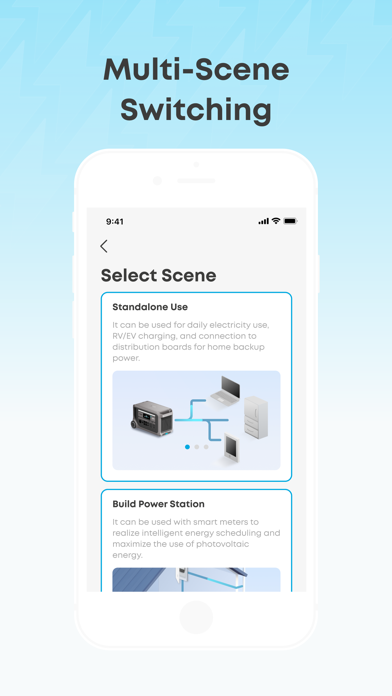
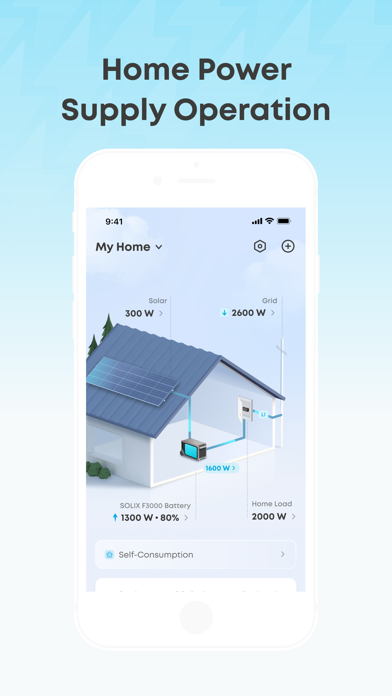
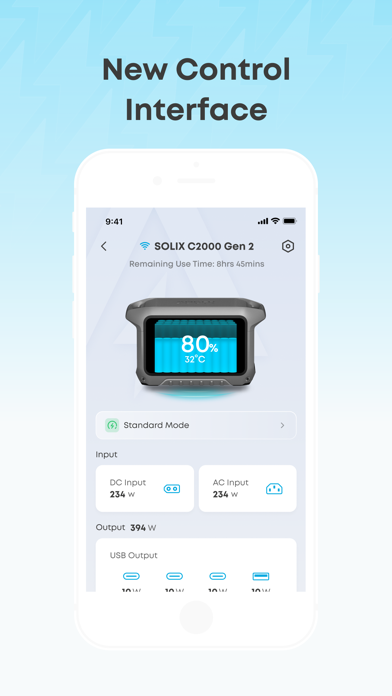
Use the Anker app to connect, control, view, and update your supported Anker power banks, outdoor en
ergy storage devices, photovoltaics, and other devices for a smarter experience.
-Control your devices anytime and anywhere
Easily adjust the output power of each device and control the device remotely.
-View the status of a device at a glance
Check the status of each device and turn the device on or off accordingly.
-Easily and quickly update your devices
Obtain over-the-air (OTA) firmware and software updates for Anker products.
Supported devices:
767 PowerHouse
MI60 Microinverter
Powered Cooler 30
Powered Cooler 40
Powered Cooler 50
SOLIX F1200
MI80 Microinverter(BLE)
Prime Power Bank
SOLIX E1600 Solarbank
SOLIX F2600
SOLIX F1500
SOLIX C1000
SOLIX C800
SOLIX C800 Plus
SOLIX F3800
0W Output Switch
SOLIX C800X
Home Power Panel
Double Power Hub
Solarbank 2 E1600 Pro
SOLIX P1 Meter
Smart Meter
SOLIX F2000
Solarbank 2 E1600 Plus
SOLIX C300
SOLIX C300 DC
SOLIX C300X
Smart Plug
160W Prime Charger
250W Prime Charger
240W Charging Station
SOLIX C300X DC
SOLIX C200(X)
SOLIX C200 DC
SOLIX C200X DC
Solarbank 2 E1600 AC
SOLIX Everfrost 2 40L Electric Cooler
SOLIX Everfrost 2 58L Electric Cooler
SOLIX F3800 Plus
SOLIX Everfrost 2 23
Solarbank 3 E2700 Pro
SOLIX F3000
SOLIX V1 Smart EV Charger
26K Prime Power Bank
20K Prime Power Bank
150W Charging Base
SOLIX Alternator Charger
Anker SOLIX E10
Power Dock
Smart Generator 5500
Screenshots of Anker iOS app
Reviews Anker for iphone
Constant Log in issues
1
By 7captain7
Almost every time I try logging in to the app it says incorrect password even though I have to change in the previous attempt. Very annoying/frustrating having to go through the cumbersome “forgot your password” process even though I didn’t forget my password.
Time of Use
3
By Bostn
Happy to see time of use options added when I got my Solix C2000x. Wish you could adjust by day if the week. Weekends and holidays are all off-peak with utility company.
Would also love some kind of history graph feature to better understand use after the fact
Dated app, not fully supporting iPad
3
By Mirlen
app is showing its age, doesn’t fully support iPad screens giving only phone view. Even their lower cost competitors app supports iPad properly.
Does the job very well
5
By Wankle
Allows you to control everything I can think of but for one things: settings temporary charge limit for an impending storm. I like that it has storm watch, but, I’d like to adjust it for the next 24 hours when I see a concern, as it isn’t seeing the impending wind storm right now.
No Dark Mode in 2026??
3
By mikeLM10
I will put 5 stars on this app if it stays smooth and gets dark mode
cant autofill login credentials
1
By wholegroanoats
the app's login page doesnt support password managers or autofill. this is very annoying when i have to look up my password and type it manually.
copy and paste doesnt work either.
Needs Dark Mode
4
By Noperdopeado
App needs Dark Mode.
Keeps logging me out and saying incorrect password
1
By Morgan-tn
I know my password, I use a password manager. But this app is kicking me out now everytime I launch it, put in password, incorrect, reset pass, login fine, get kicked, back to incorrect password, reset again. This cycle repeats. Annoying.
Issues with Firmware Update on Powerbank
3
By Ayeeeebc
Every once in a while, the app will get confused about what firmware is on the 26K 300W Powerbank and gets stuck in a loop thinking the update didn’t go through. I have to delete the device from the app and add it once again almost every other update. Fixing this would bring this app to 5 stars.
Doesn’t work
1
By J_Stryker
250w Prime Charger grayed out. WiFi doesn’t work. Bluetooth doesn’t work. Useless app.