Get more done with Google Tasks. Manage, capture, and edit your tasks from anywhere, at anytime, wit
h to-dos that sync across all your devices. Integrations with Gmail and Google Calendar help you get tasks done—faster.
Quickly capture tasks anywhere
• Create task lists with your most important to-dos
• View, edit, and manage tasks on the go, from any device
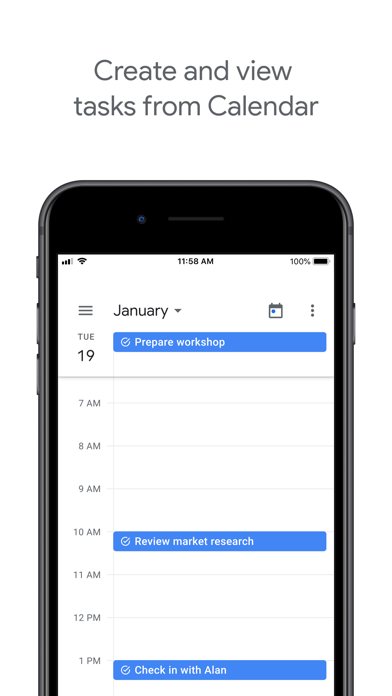
• Manage tasks created in Gmail or Calendar on the web from your mobile device
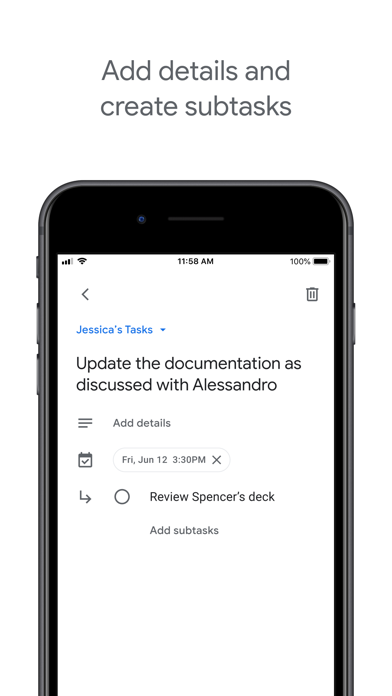
Add details and create subtasks
• Break down your tasks to subtasks
• Add details about the work you need to focus on
• Edit details about any task as your work progresses
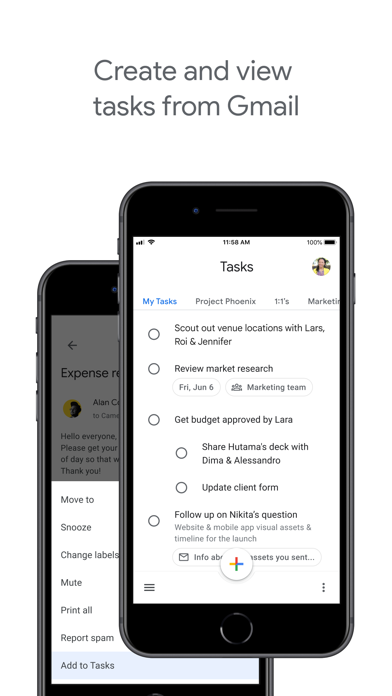
View tasks created from emails
• Create a task directly from an email in Gmail
• View your tasks in the side panel of Gmail
• Trace a task back to its source email
Stay on track with due dates and notifications
• Set a due date for every task to help you achieve your goals
• Organize your tasks by date or prioritize using drag-and-drop
• Receive due date notification reminders to keep your tasks on track
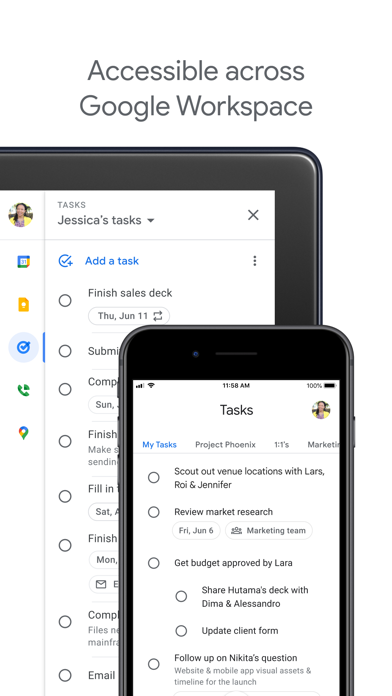
Part of Google Workspace
• Bring Google's suite of powerful, intelligent apps to your business
• Leverage Google’s AI to bring data insights and analysis to every employee
• Connect with your team seamlessly using one suite: Gmail, Tasks, Calendar & more
Take control of your task management and install Google Tasks. Start managing your to-do list on the go with the Tasks planner app from Google.
Screenshots of Google Tasks: Get Things Done iOS app
Reviews Google Tasks: Get Things Done for iphone
Great integration! Too simple tho
4
By My name Rick Astley
I would say this is the best app for those who use smart assistants to set reminders. google assistant of course works but you can use the newer gemini to set reminders with natural language. you can even put a screenshot into gemini and it’ll put the reminders into tasks automatically
****
5
By WrongWayDave
Simple yet complete
Excellent for couples
5
By Harried Sinner
Tasks is wonderful for my husband and me. We add to it whenever we are thinking of things we need at the store and the other one can automatically see it. We use it for ideas, things we need done, etc.. Tasks is helpful in every way and we use daily!
Could use Gemini to assist with date and times for emailed tasks
3
By Guerro27
Could use AI functionality to improve value
iPad app needs fix
3
By DaWeavINC
I have a few Tasks that have a lot of text in the Details section, but the app doesn't scroll down far enough to see all of the text infusion in the Details sections on the iPad. I can see all of the text Details on their Android app, and in a web browser.
Excellent App
5
By Language Settings
As a person with an organizing personality, I love this app! I have been using it for years and I love that I can make a list for whatever I need, arrange list items however I like, add dates and times each task needs to be completed, put items on repeat (for those weekly or monthly chores 😉), add a description to the item if I want to, and the many other features.
The only thing that I dislike is that you can’t rearrange the actual list order. Unfortunately, once the lists are made, they are static. If you want to rearrange your lists, you have to delete them and re-create them in the order you now want them in, which can be a bit frustrating.
Over allthough, excellent app that I definitely recommend.
Keeping order
5
By Dellp305
This has been a huge help with keeping a list of my every reality moves!
Shameful for Google
1
By ILBandit
An app that is supposed to remind you of tasks, but it won’t even show a badge if something has popped up due? Make the app kinda worthless unless you only get a few notifications a day.
Pretty unbelievable that Google puts their name on this.