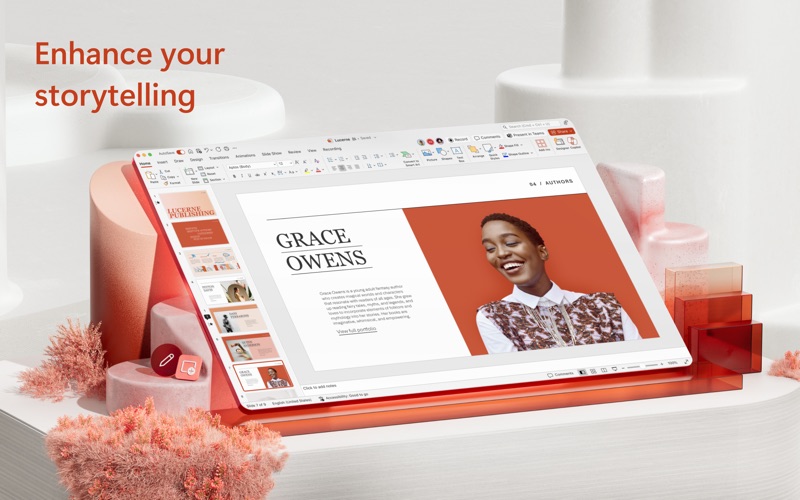
This application requires a qualifying Microsoft 365 subscription. Microsoft 365 includes premium Wo
rd, Excel, and PowerPoint apps, 1 TB cloud storage in OneDrive, advanced security, and more, all in one convenient subscription. With Microsoft 365, you get features as soon as they are released ensuring you’re always working with the latest.
Create, edit, collaborate, and share presentations using PowerPoint for Mac. Now it’s easier than ever to create, edit, and share presentations seamlessly across your devices and with others. Share your files and collaborate in real time within a document or edit docs attached to emails. Get smart assistance features as soon as they are released in Word, Excel, and PowerPoint so you’re always working with the latest. Whether you need to show off your school project, business plan, or family vacation photos, PowerPoint is your go-to app for presentations.
Kickstart your creativity
• Achieve more and enhance your documents with access to a growing catalog of premium templates for Word, Excel, and PowerPoint.
• Advanced formatting and layout options produce beautifully pristine documents on any device including laptops, iPads, and iPhones.
Present with confidence
• Get your ideas across with beautiful design, rich animation, cinematic motion, 3D models, and icons.
• Save documents right to Microsoft OneDrive or another cloud provider to access them on any device and at any time you have internet access.
• Dark Mode allows you to focus on creating presentations in low-light environments.
Accomplish more together
• Whether it’s a school project, sales pitch, or family slideshow, seamlessly work with others with real-time co-authoring to bring your ideas and plans together faster.
• Share your documents with the click of a button to invite others to edit in real time. Easily manage permissions and see who’s currently working in a document.
• Add comments or assign tasks to people in your group for clean editing and organization.
Learn more about Microsoft 365
Microsoft 365 is a cloud-based subscription service that brings together premium versions of Word, Excel, PowerPoint, Outlook and OneDrive, with the best tools for the way people work today. Please visit: http://go.microsoft.com/fwlink/?linkid=2015120 for information on Licensing Terms.
Unlock the full Microsoft 365 experience with a qualifying Microsoft 365 subscription for your phone, tablet, PC, and Mac.
Microsoft 365 annual subscriptions purchased from the app will be charged to your App Store account and will automatically renew within 24 hours prior to the end of the current subscription period unless auto-renewal is disabled beforehand. You can manage your subscriptions in your App Store account settings.
This app is provided by either Microsoft or a third-party app publisher and is subject to a separate privacy statement and terms and conditions. Data provided through the use of this store and this app may be accessible to Microsoft or the third-party app publisher, as applicable, and transferred to, stored, and processed in the United States or any other country where Microsoft or the app publisher and their affiliates or service providers maintain facilities.
Please refer to the Microsoft Software License Terms for Microsoft 365. See “License Agreement” link under Information. By installing the app, you agree to these terms and conditions.
Screenshots of Microsoft PowerPoint iOS app
Reviews Microsoft PowerPoint for iphone
I use this to run trivia shows, it’s great
5
By GMGVSU
I have my own bar trivia business and i use PPT (rather than Keynote or another app) because it is the best app to run clear, easy to execute shows that allow for maximum entertainment with the audience. i am trained in performing and this is a great aid. easy to use and easy to supplement my questions/jokes with animations and other creative inserts. great program!
Fail of loading
1
By DaynaPierce
Won’y load
Microsoft Power Point
5
By Mentalica
I am really pleased with a lot about PowerPoint. I made a video of my trip to the Grand Canyon, embedding videos with music, and using the design feature. The presentation came out really really good. I am having trouble saving it. A pop-up window says that I cannot save it, and yet I can access it. We are paying for Microsoft, so I do not know why that message is coming up. I hope someone can help me with the saving the presentation process.
Have to pay for office 365
1
By Lord_Tachunky_06
Have to ay for office 365
Good
5
By letmedothus
Bad
Not Working
1
By mrscornet
The app no longer works on my MacBook
Good. But subscription is required.
1
By 123456sorrysorry12345
I don’t like the fact that you have to subscribe to work on this app. It definitely lost me.
super
5
By Rajan omi
i like ppt ai support
Persian fonts are shown incorrectly
3
By NimaShakeri
In total, Powerpoint functions well and smoothly. But unlike on Windows, Persian fonts don’t show up correctly. They are in the wrong shapes. The same font is shown ok in Keynote or Powerpoint on Windows.
gingers
5
By (☞ ͡° ͜ʖ ͡°)☞ ( ̄▽ ̄) ᕕ( ᐛ )ᕗ
my ginger friend loveeddddd this app big props and type soul fap sash